The dilemma of the two iPhones
You see, even months before Apple launched the iPhone Duo, some were already speculating that this feature would arrive at just the right time. This is because we now have not just one, but two new flagship iPhones, and they are quite different from each other. Most people will probably choose one or the other, especially since they are both expensive. But Apple knows that there is a group of enthusiasts who will probably end up with both, and I am one of them.
The iPhone Duo is by far the most interesting product of this iPhone season. It’s a completely new form factor that opens up new possibilities. Even if you’re not a fan of foldable devices, you’ll probably want to at least see this device in person to get an idea of how it works.
The point is that, although it costs more, the Duo is not exactly the best iPhone in the range. Because it’s so thin, Apple had to make some compromises. There is no Face ID or telephoto camera on the back. For “professional” users, this could be a major drawback. But the Dup also has advantages over other iPhones, and that’s where some people might want to get both: maybe a Duo for professional work and an 18 Pro for fun.
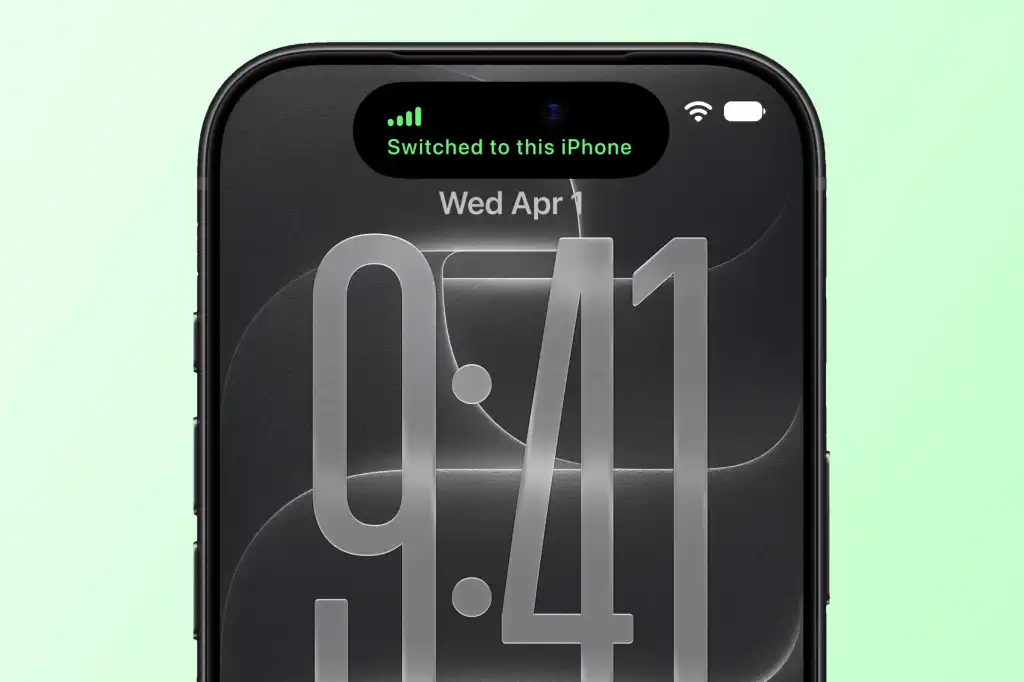
iPhone Handoff makes it easy to switch between two phones without needing a separate number.
Romano Loyola / Foundry
But having two iPhones has historically been a nightmare. I know because I already have two. Even if you use iCloud, there’s still one thing that doesn’t sync between them: your phone number. That means you need two different phone lines to carry two iPhones with you. Not only is this inconvenient, but it also adds a significant additional cost to your monthly wireless bill.
iPhone Handoff is here to change that. Finally allows two iPhones to share the same phone line. But how does it work?
How Apple solved the problem
As I mentioned previously, the iPhone Handoff concept works practically the same as an iPhone-Apple Watch cell phone tandem. Currently, if you have an Apple Watch with LTE or 5G, it already uses your iPhone’s SIM card. Basically, it detects when your iPhone is out of range and automatically switches your eSIM to the Apple Watch. This allows you to stay connected to your 5G network to receive calls, send messages, etc. As soon as your iPhone is back in range, your SIM card will return to it. Everything happens automatically and is invisible to the user.