This makes them a favorite among tech enthusiasts, but they may be overkill if, as a regular consumer, you simply want a good home connection, something that works automatically and provides stable and sufficiently secure Wi-Fi.
However, Ubiquiti also sells complete home networking routers in the UniFi range, which look and work more like most standard home routers, with a WAN port that connects to the fiber socket and built-in Wi-Fi 7. It still has the same excellent room for expansion if you’re feeling ambitious.
Ubiquiti UniFi Express 7: small but powerful
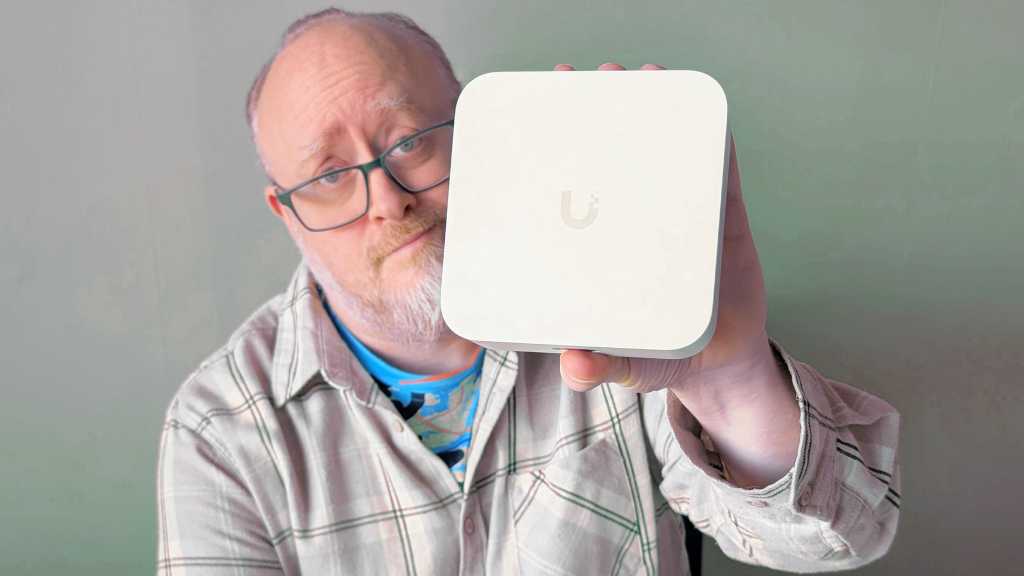
The smallest and simplest of the lot is called the UniFi Express 7, a sleekly designed compact case made of matte white plastic, measuring just under 4.7 x 4.7 x 1.67 inches. It has a USB-C port for power, two Ethernet ports, a 10Gbit port for WAN and a 2.5Gbit port for LAN, as well as a small smart OLED display on the front, which shows status and speed during normal operation.
Matías Ingé
The box also includes a flexible, braided Ethernet cable. I’m not really sure what to use it for since it’s quite short. It’s probably designed to connect to other Ubiquiti devices that you can place right next to it as a small Ethernet switch (for more ports). This might be necessary since you only get one port with a broadband connection.
It’s a relatively powerful Wi-Fi device despite its compact design, with three frequency bands and plenty of gigabit bandwidth at both 5 GHz and 6 GHz. You can connect and manage up to 300 client devices and expand the network with up to 30 other Ubiquiti products, such as switches and access points.
Ubiquiti UniFi Express 7: easy to get started
I want to see how it works if you buy one, set it up at home and connect the broadband cable to the WAN port. It turns out that it also works perfectly as a standard “dumb” router.