The Touch Bar was misunderstood
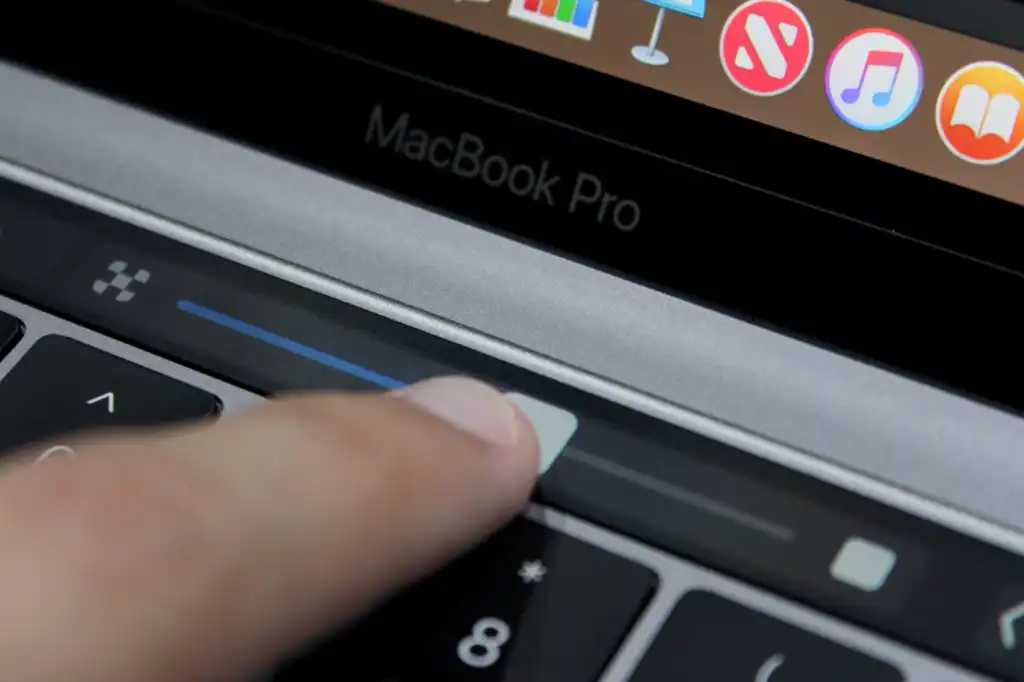
The Touch Bar was an OLED strip that sat above the keyboard on MacBooks. Introduced in 2016, it replaced the classic function keys with virtual buttons that changed depending on what was on the screen; Each application had its own controls. The idea seemed too good to be true when it was announced and I was really excited about it.
Apple itself seemed to lose interest in the Touch Bar after a while and stopped adding new features. Not only that, but the Touch Bar never came to any Mac other than the MacBook Pro: neither the MacBook Air nor Apple’s wireless keyboard for its desktop computers. The reality is that users didn’t have much reason to like or prefer the Touch Bar over conventional function keys. At least the physical function keys were easier to press without looking. Perhaps it was for this reason that Apple brought back the physical Esc key in later MacBook Pro models, before finally ditching the Touch Bar for good.
But the Touch Bar also had its good side, such as being able to adjust the brightness or volume of the MacBook with a swipe of the finger. It was also helpful to have quick controls for selecting emojis or scrolling through Final Cut Pro’s editing timeline. None of these features were really must-haves, but they made the Mac experience a little better. And, more importantly, they were accessible in a place that was easy to reach.
By contrast, Apple’s examples of how owners should use the new MacBook Pro’s touchscreen seem strange and awkward. When you use a conventional laptop, your hands rest on the keyboard and your palms rest most of the time. You don’t need to raise your arm to move the cursor and click the buttons. Constantly raising your arm to touch a vertically facing screen seems unergonomic and tiring.
Apple
How does a touch screen help Mac?
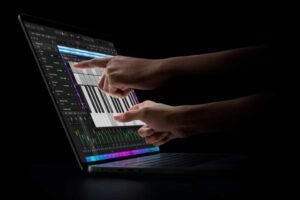
One of the things that bothers me most about the new MacBook Pro is that Apple seems to be trying too hard to convince us that touching a laptop screen is something we’ve been missing. Apple showed some examples of how people can use the new touch screen, such as playing a virtual piano. I’m sure this is a fun way to show off what new hardware can do, but in reality it’s unlikely that the average user will do this often, if ever.
There’s a reason the iPad works so well as a touchscreen device. You can hold it in your hands, place it on a table, or adjust the angle of the screen depending on what you’re doing. A MacBook, on the other hand, is still primarily designed around a keyboard and trackpad. There are laptops designed to be touch-enabled, with screens that can be tilted at steeper angles or even flipped so they can be used like a tablet. That’s not the case with the new MacBook Pro.