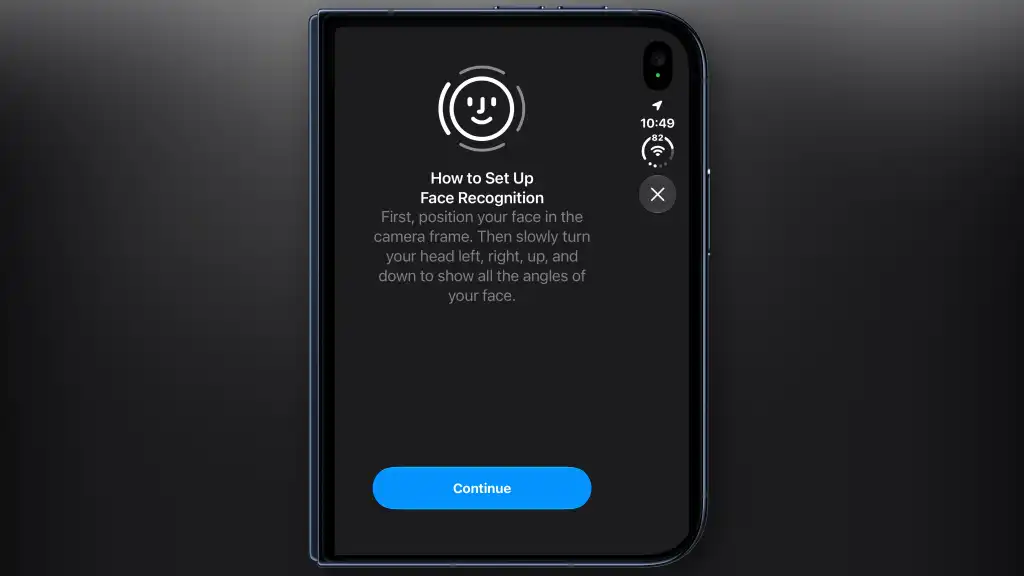
The process is similar to setting up Face ID, just a little faster and easier. (I assume this is because the feature has a lower security access than full Face ID, so it doesn’t need to be as rigorous.) Point the front camera at your face and then look in various directions as instructed. It only takes a few seconds.
David Price / Foundry
And that’s it! The feature is set up and you can now unlock your iPhone Duo using just your face.
How to unlock using the front camera of your iPhone Duo
I mentioned that the Unlock with Front Camera feature has less access than Face ID. What I mean is that in many situations, especially those where security is a priority, face unlock will not be possible and Duo will prompt you to use Touch ID or your password. This includes Apple Pay and password management.
However, with that limitation in mind, the feature is as easy to use as it is to configure. Let’s say you just received a notification, but because Duo is locked, you can’t see the details. Simply look directly at the phone and the notification will unlock and reveal your secrets. Likewise, you just need to have the phone’s front camera pointed at your face when you swipe up from the bottom of the screen, and it will unlock without requiring fingerprint identification.