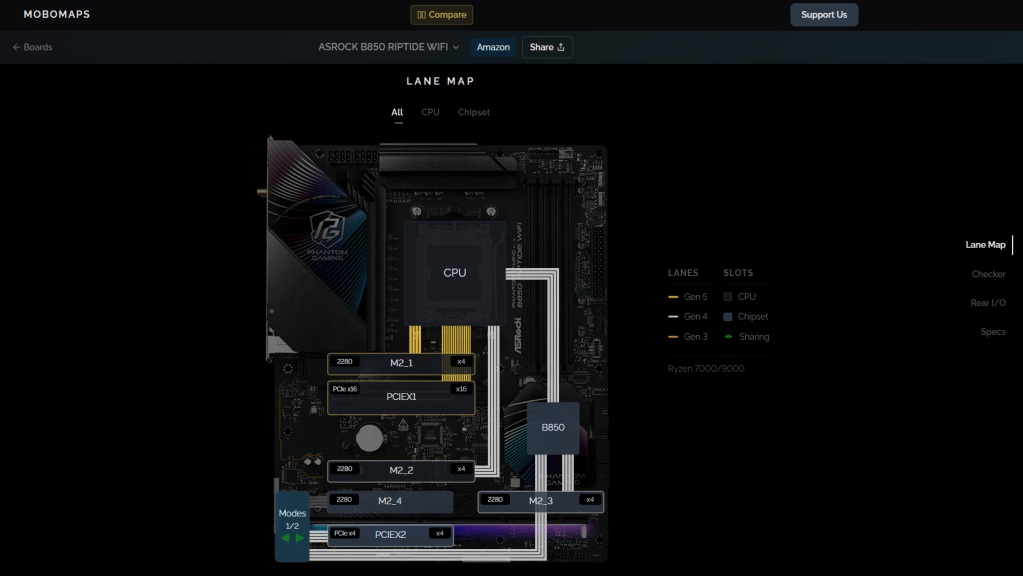
MoboMaps is especially useful if you plan to install a lot of hardware. On some boards, for example, placing an NVMe SSD in a certain M.2 slot can reduce the graphics card connection from x16 to x8. MoboMaps has a handy performance checker that lets you toggle different components and see which ones might end up sharing bandwidth.
It is also useful before purchasing anything. You can filter boards by brand, chipset, form factor, PCIe generation, number of M.2 slots, USB4 support, and whether they share lanes with the GPU. There’s even a side-by-side comparison tool. MoboMaps currently covers over 200 motherboards, including the most popular brands.
If you’re building a gaming PC or adding another SSD, MoboMaps is a great tool to check before making a purchase or starting a new build.
For more tips, tricks, and recommendations for fun and useful apps and websites, be sure to subscribe to our PCWorld newsletter. Try this newsletter.