macOS public beta versus developer beta
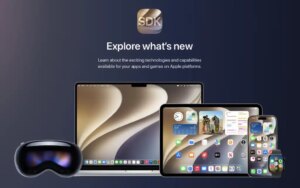
Since 2023, Developer Beta has been available to anyone who signs up as a developer, even if they are not a paid member of the Apple Developer Program. As a result, people with a free basic developer account can download the new macOS developer beta (we show you how to sign up below).
Whether you should download the developer beta if you’re not a developer is another question. We do not recommend installing the developer beta if you are not a developer. Instead, our recommendation is to use the public beta (the first version of which usually arrives in July).
There are some differences between the public beta and the developer beta. The public beta is not the same as the beta that is released through the developer program. The public beta is usually released after the developer beta has gone through initial testing and improvements.
Developers get updates to their beta first and possibly more frequently. But you should keep in mind that beta versions are not stable by nature, and because the public beta comes after the developer beta, your installation might be a little safer.
The most significant difference is probably the reason for the testers: developers generally have the goal of ensuring their apps work when the updated macOS is released to the general public, while public beta testers essentially help Apple catch bugs and provide feedback on features. Because of this, developers may test new features that are not available in the public beta.
If you want to get the public beta, the first thing you should do, if you haven’t already, is join Apple’s beta programs. Read this to learn more: How to become an Apple beta tester.