Unfortunately, interface weaknesses and poorly formed recovery boot media still hinder the 4.5-star program’s pursuit, two years after I first reported on it. Maybe next time.
Read on to learn more, and then check out our roundup of the best Windows backup software to compare.
What are the features of Aomei Backupper Professional 8.5?
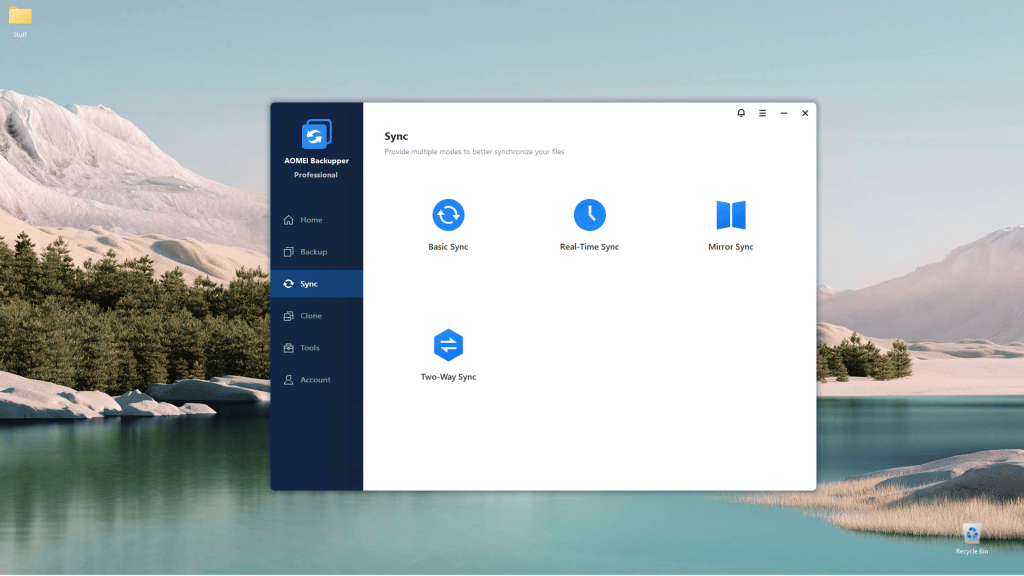
Backupper Pro features cover the full range of backup functions: images of your files/folders, system, drives and partitions; dedicated email and Outlook backup; Windows PE disaster recovery bootable media; system/disk/partition clone; a recovery partition (boot environment); and various types of folder synchronization.
Backups and syncs can be saved anywhere, on any type of non-optical media (optical is supported for bootable disks), including network locations, which can also be included in backups.
You can schedule backups as granular as an hour (continuous ones are available as real-time sync), as well as run pre- and post-backup commands, including scripts.
Beyond that, Aomei’s changelog lists mostly smaller improvements and optimizations. All welcome, but nothing particularly noteworthy other than the aforementioned ransomware protection (see below).