AI may be everywhere and in everything right now, but most people interact with it in one place: the cloud. That’s still the best place to access cutting-edge models with flagship capabilities. But while the latest ChatGPT and Claude models may be the best solutions for agent AI or coding entire applications, they also pose significant privacy and security concerns. Constantly changing token limits and subscription fees can also make them unreliable solutions to common problems.
Running AI locally on your own hardware represents a significant improvement in AI privacy, as you keep all your data on your own devices; Out of reach of leading AI developers who may, depending on the plan and configuration, use even confidential and proprietary data for model training without adequate safeguards. But while older AI models required custom hardware to run and thousands of dollars of investment in dedicated AI systems, the latest open source models run fantastically well on graphics cards designed primarily for gaming.
How do MSI RTX 50 series GPUs enable local AI?
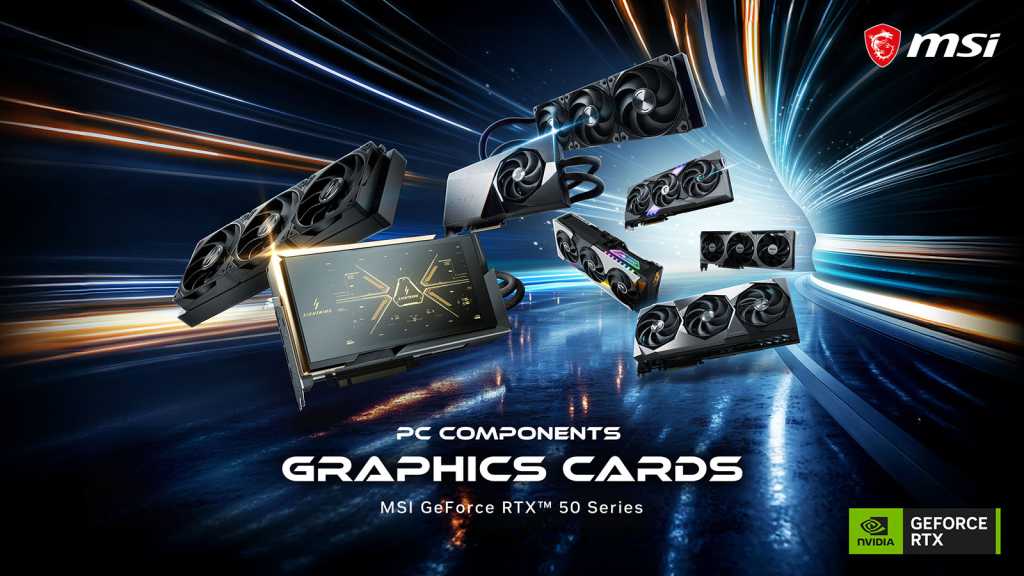
MSI’s latest RTX graphics cards are fantastic for running modern games with support for hardware-accelerated path tracing and the latest DLSS framing and upscaling technologies. But all that graphics power also makes them capable of running powerful local language models that can enable impressive AI intelligence that can be incredibly useful for daily work and creative endeavors.
With 12GB or more of VRAM from the mid-range RTX-50 series, these cards have the built-in memory they need to store medium and large language models out of the box. High-end cards with 16GB of VRAM add room to run more capable models, while the top-tier RTX 5090 with 32GB of GDDR7 opens up new models and greater tuning capabilities.
Local AI runs fast and responsive thanks to 5th Next-generation tensor cores, providing powerful hardware acceleration even for demanding AI workloads. The PyTorch and TensorFlow frameworks are also optimized for Nvidia CUDA cores, making it much easier to get local AI up and running on your own machine.
All of these cards are backed by MSI’s intelligent thermal and power management systems that help them operate cool and quiet, ensuring you stay focused on the task at hand; Whether destroying enemies or activating your own local intelligence chatbot.
Which MSI RTX 50 series GPU is best for local AI?
The MSI RTX 50 series graphics cards are great for gaming, but for powerful large language models, the RTX 5070 offers a fantastic entry point with its 12GB of VRAM. Priced from $810, this card can pull double duty for light 1440p and 4K gaming with upscaling and frame-raising, and also unlocks local AI capabilities.
To run more demanding models and higher gaming frame rates, the MSI GeForce RTX 5070 Ti 16G Shadow 3X OC starts at $1,170 and comes with 16GB of VRAM. Its faster sibling, the MSI GeForce RTX 5080 (from $1,650) 16G Ventus 3X OC White, offers a truly premium gaming experience for native and ultra 4K settings with path tracing, perfect for scoring big on major benchmarks. Those extra CUDA cores also help make it a more responsive card for running local AI models.
For those looking to really explore local AI development or who want to run some of the most capable local models without compromise, MSI’s GeForce RTX 5090 32GB Suprim SOC model starts at $5,200 and offers the latest in gaming and local AI capabilities.
To learn more about MSI’s exciting range of RTX 50 series graphics cards, you can find them all in the MSI store or on Amazon. Need more information to choose the right card for you and your needs? MSI’s detailed RTX 50 series buying guide may be helpful.
| Card | VRAM | Gaming performance | Local AI capabilities |
|---|---|---|---|
| RTX 5070 | 12GB GDDR7 | 1440p gaming with high detail settings | Medium-sized quantified LLM,imaging |
| RTX 5070Ti | 16GB GDDR7 | 1440p and 4K gaming at ultra settings, with ray tracing | Bigger models, more headroom |
| RTX 5080 | 16GB GDDR7 | Native 4K, Path-Traced Lighting, Ultra Settings | Faster responses with the same VRAM |
| RTX 5090 | 32GB GDDR7 | Maximum settings, full route tracking, high frame rate | Support for larger local models, model tuning. |
Frequently asked questions
Is the MSI GeForce RTX 5070 12GB enough to run local AI?
Yes. The MSI RTX 5070 is the entry point for local AI, covering daily chat, summaries, encoding help, and rendering with mid-sized models, while still handling 1440p gaming.
Which MSI RTX 50 series graphics card is best for running AI locally?
For most people, an MSI RTX 5070 Ti 16G (like the GAMING TRIO OC or VENTUS 3X) balances price and VRAM. Developers who want to run the largest models without compromise should choose the MSI RTX 5090 32G SUPRIM SOC.
What is the difference between MSI RTX 5070 Ti and MSI RTX 5080 for local AI?
Both MSI cards have 16 GB of GDDR7 memory, so they support models of the same size. However, the MSI RTX 5080 has more CUDA and tensor cores and runs them faster, which helps it return AI responses faster. It’s also a better option for native 4K gaming.
How do I start running local AI on an MSI RTX card?
Install a runner like Ollama or LM Studio on a PC with an MSI RTX 50 series card, choose a model that fits your VRAM, and start ordering. No coding required!