I know many of you are mourning the loss of the Arc browser and I understand that. It seemed like the first app in a long time that really offered a new approach to browser design. Atlassian bought the company last year and turned its attention to developing Dia, its even more AI-focused browser. And very soon, Arc will officially cease to exist, leaving dedicated users in the lurch. But I abandoned Arc quite a while ago for Zen Browser and haven’t really lost it. If you’re willing to deal with some minor inconveniences, I think you’ll find Zen to be the Arc replacement you’re looking for.
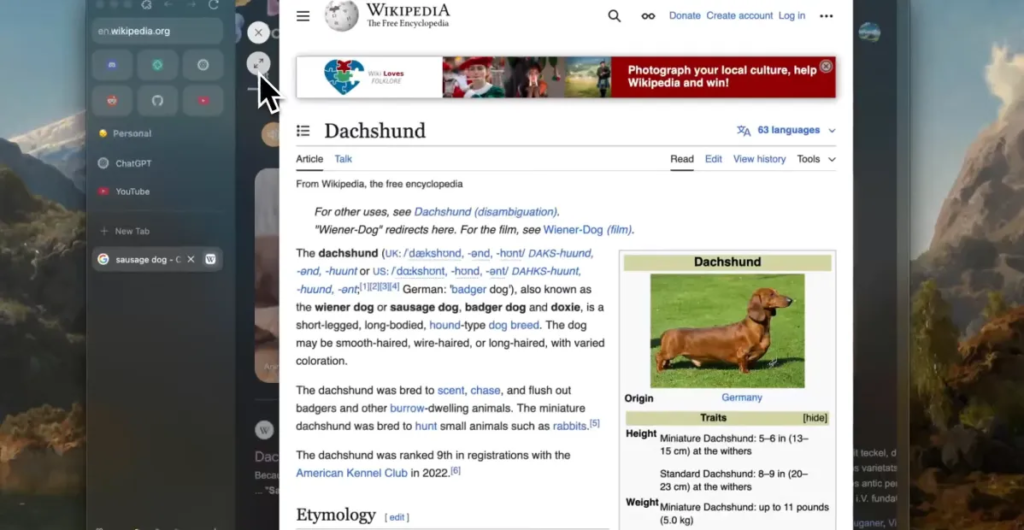
Zen shamelessly copies the best of Arc. Visually, they are almost indistinguishable. It has launcher-like pinned sites, left tab bar, sandboxes, and mods that allow you to customize the browser’s user interface to your liking. Take the parts that made Arc’s interface feel fresh, then remove everything that made it bloated and drove me into the arms of another.
Notably, Zen has no AI.
There’s no agent on a sidebar pestering me to let him handle the assignments. I’m not worried about Zen training an LLM in my sailing activity. It’s just a web browser.
Zen prides itself on its privacy features: “Beautifully designed, privacy-focused, and packed with features. We care about your experience, not your data,” it proudly proclaims. Now, I’m no fool. I know that nothing I do on the Internet is truly private, but with Arc I always felt like my data was an integral part of the business plan. That is not the case with Zen. It is a free and open source project that depends on volunteers and donations.
In addition to Zen Mods that can do anything from modifying the look of an active tab to overhauling how PiP videos are handled, you can also install Firefox extensions. Yes, you can install Chrome extensions on Arc, but anecdotally, I found that Zen handles extensions better. Both Zen and Arc are different enough from a UI perspective that not all extensions will display correctly, but Zen offers more solutions.
Zen also allows me to focus on the task at hand. The links open in “glance” view, which is a temporary pop-up tab, which is really great when you’re window shopping or doing light research. If I want to open it in a proper tab, it’s just a click away. Zen also has a floating bar that appears whenever you press Command+T or CTRL+T. From here you can open a new tab, switch to an existing tab, perform a search from the search engine of your choice, and even activate an extension.
Zen is not perfect. I love its clean user interface and organizational features, but it can’t play DRM-protected video content at this time. That means Netflix, Spotify, HBO, Disney+, and more don’t work on Zen. The Zen team is working on getting a Widevine license from Google. In the meantime, I use Chrome when I want to watch a movie, which is fine. Zen is based on Firefox and Firefox’s Web MIDI support is missing. So I have to start Chrome regularly anyway.
I also miss Arc Boosts in some cases, but I’ve learned to accept the web as it is. Zen implemented a similar Boost feature back in May, but it’s not very obvious, and if there’s an official repository of easily navigable installable Boosts, I’ve yet to find it. Instead, you must modify the appearance of individual sites yourself.
If you tried Zen a long time ago and were put off by its buggy early versions, rest assured, you’ve come a long way. Look, if you’re interested in Arc’s AI features, Dia is probably more your speed. Personally, I always loved Arc’s interface, but I never really liked its vibe. Zen just feels good.
Update October 25: Added information about implementing Zen boosts.